
Auto save everywhere
Apturra saves job details automatically while you apply.
Auto-save applications as you apply and keep your entire search organized in one workspace.
Apturra is a job application tracker with a Chrome extension for auto-saving applications and a visual pipeline dashboard.
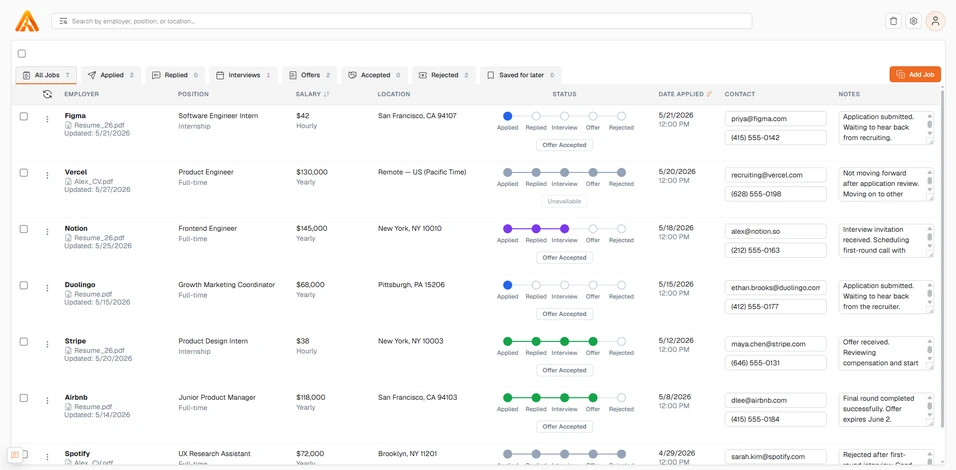
Track applications and keep every detail organized.
Install the Apturra Chrome extension to auto-save job details in one click, without copying into a spreadsheet after every submission. Learn how the extension works.
Built for clarity and momentum with just enough structure to keep your search moving forward. Explore all features.
Apturra saves job details automatically while you apply.
Apturra saves the application URL so you can visit the site again.
Apturra stores your resume so you keep track of what you used for each job.
Keep interview notes, recruiter contacts, compensation details, and status history together on each application.
Save interesting roles now and decide next steps when you are ready.
Replace traditional spreadsheets with manual job entry in a clean, easy-to-use dashboard.
See momentum at a glance with clear progress history across your pipeline.
Filter, sort, and review every application from one organized dashboard.
Everything you need to know about how Apturra fits into your search.
Start free and let Apturra auto save every application and keep your pipeline organized. See pricing or compare Apturra to Huntr.







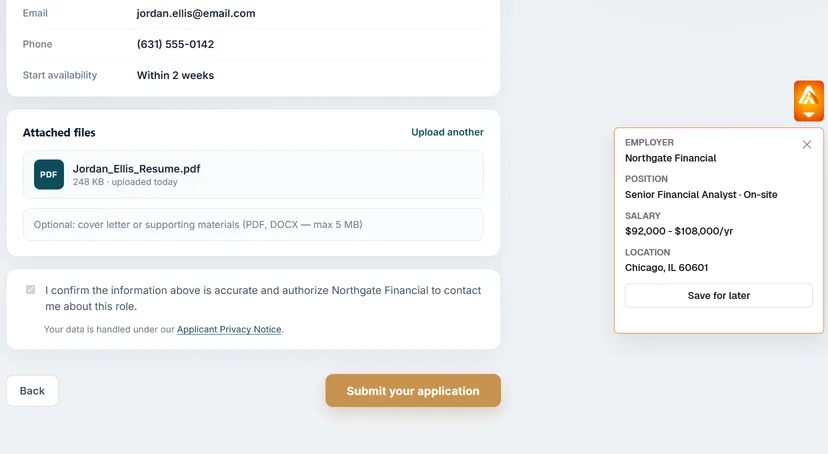
The Apturra extension detects job applications automatically when you submit.
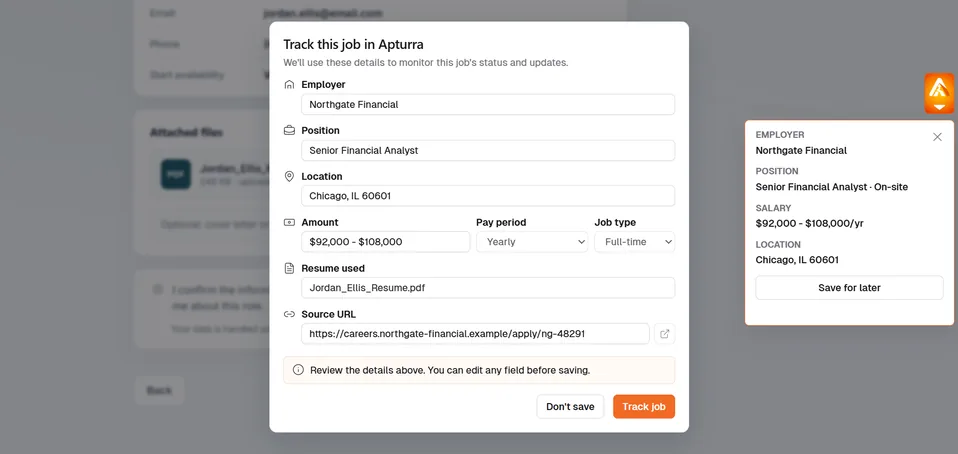
Review or edit any information. Save the job in the dashboard.
That's it!
Our browser extension detects when you submit job applications and captures the role, company, link, and status. You confirm the save in one click. No spreadsheets, no manual entry.
Apturra is verified on Indeed, LinkedIn, Greenhouse, iCIMS, Oracle, Handshake, Glassdoor, Monster, ZipRecruiter, Dice and more, covering the vast majority of postings.
Yes. Your data is encrypted in transit and at rest. We never sell your information.
Absolutely. Every auto saved record is editable. Add notes, contacts, salary info, status history, and next steps anytime.
Yes. Apturra is free to get started. You can track applications and use core workflows without entering a credit card.
Spreadsheets require manual entry after every application. Apturra auto-saves jobs via the Chrome extension and keeps notes, contacts, and status history in one dashboard.